Deliver packages and recover changes
Use LSF to deploy a capsule, publish a static website, or run a supported Angular server renderer. The same delivery path keeps the package, its permissions and its selected deployment together. You can move traffic to a new version and recover a failed change without replacing the node.
If this is your first time using LSF, begin with Run your first node. That guide creates a node and calls a small echo service. Continue here when you want to deliver your own application or manage a new version.
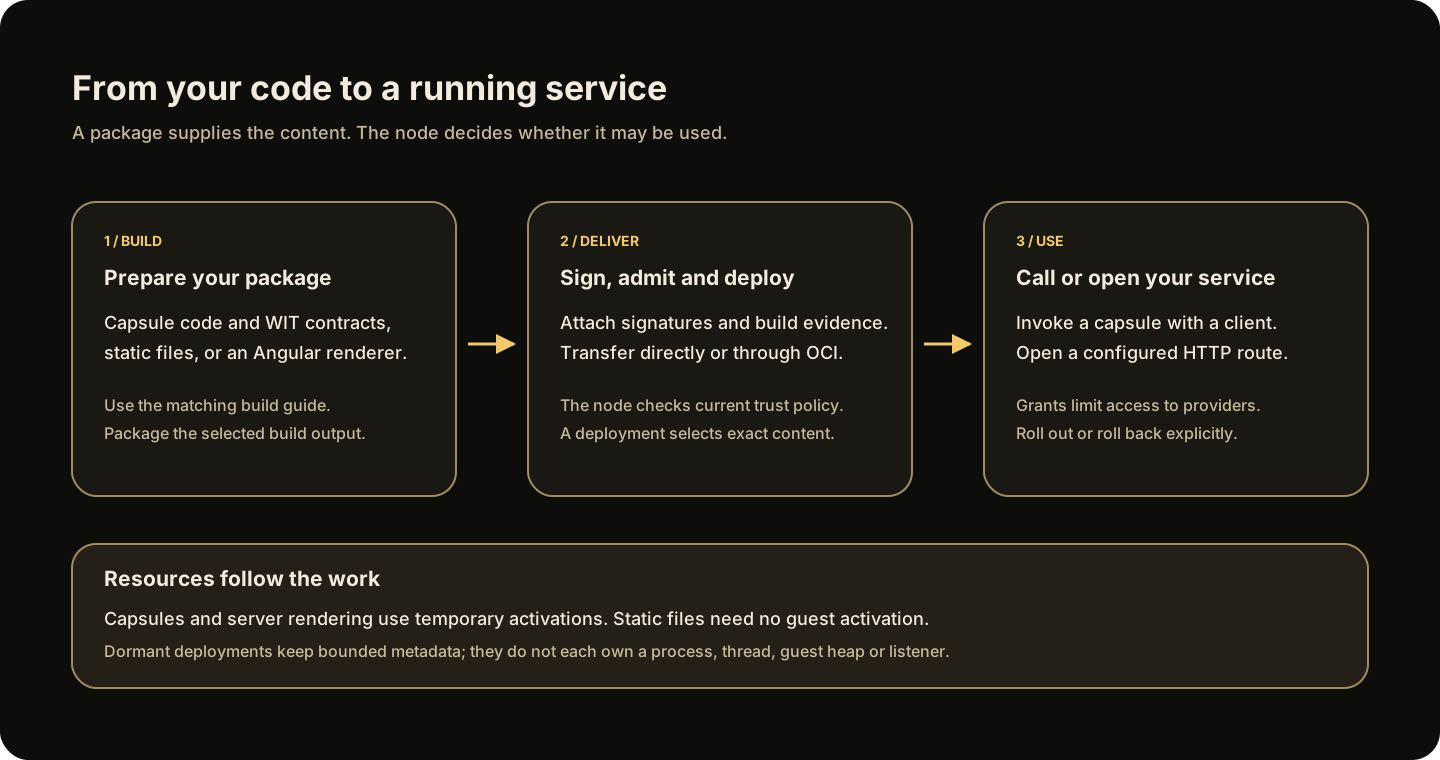
Open the delivery diagram at full size.
1. Build the application you want to deliver
Choose a guide for your application. Each one identifies the required tools, source files and commands for its supported build.
| Application | Follow this guide | Result |
|---|---|---|
| A function called by another program | Create a capsule | A Wasm component with typed inputs and outputs. |
| A static website or browser application | Package a static site | Public files and a manifest describing their URLs. |
| An Angular application with server rendering | Build an Angular application | Browser files and a renderer for the supported Angular profile. |
Package the selected output using the packaging guide. Package assembly does not compile your source: finish the application build first. For a node that enforces publisher trust, also provide the required publisher signature, build provenance and SBOM.
2. Transfer and admit the package
Follow Deliver, invoke and recover a capsule for the complete local delivery workflow. Package and deployment operations cover inspection, verification and OCI push/pull commands when using a registry. Registry credentials and node management credentials are separate.
A successful transfer means the selected bytes arrived. The node still checks its own publisher trust, tenant policy, package requirements and current release eligibility before admission. A successful local verification does not override those checks.
3. Deploy and try the application
Create a deployment that selects the admitted publication. Invoke a capsule using the CLI or a client SDK. For browser delivery, configure the shared HTTP ingress and the route specified by the static-site or Angular guide, then open that route in a browser.
Capsules and server rendering use temporary activations. Static files are served without creating a guest activation. A dormant deployment has retained metadata; it does not keep its own process, thread, guest heap or listener running.
If a capsule needs HTTP, storage or another capability, install its provider and grant the required authority. The standalone provider reference lists the providers accepted by the node configuration. Other provider integrations have their own trusted Rust embedding instructions; adding an unsupported field to the node JSON does not enable them.
4. Change a version deliberately
Use a staged rollout to move traffic to a candidate. Canary observation and explicit promotion let you inspect a window before advancing. Rollback restores an eligible retained version through a new route generation. Running activations keep their selected revision.
Keep the operation ID and original preconditions for every management change. After a timeout or lost response, inspect that operation before submitting another mutation. An unknown result can mean an absent or expired receipt; it does not prove that the change never ran.
Restart and recovery
Use the current persistence and fresh-state instructions when preparing storage. Obsolete catalog formats are rejected; old binaries and old catalogs are not an application rollback mechanism.
A protected node can refuse an immediate restart until its persisted clock floor is reached. Follow clock lease recovery. Do not delete policy state or an audit journal to bypass that check.
A registry outage blocks transfers. Already retained packages can still run when their current policy and release eligibility permit use. Cached bytes do not extend an expired signature or undo revocation.
The current deployment is a standalone Linux node. Shared state transactions, cluster placement and durable workflows are not supported. For resource and security details, continue with the architecture overview.